Walkthrough
Quick Enable
Enable in your CannonWMS dashboard:
Settings → Features → Assembly & Work Orders
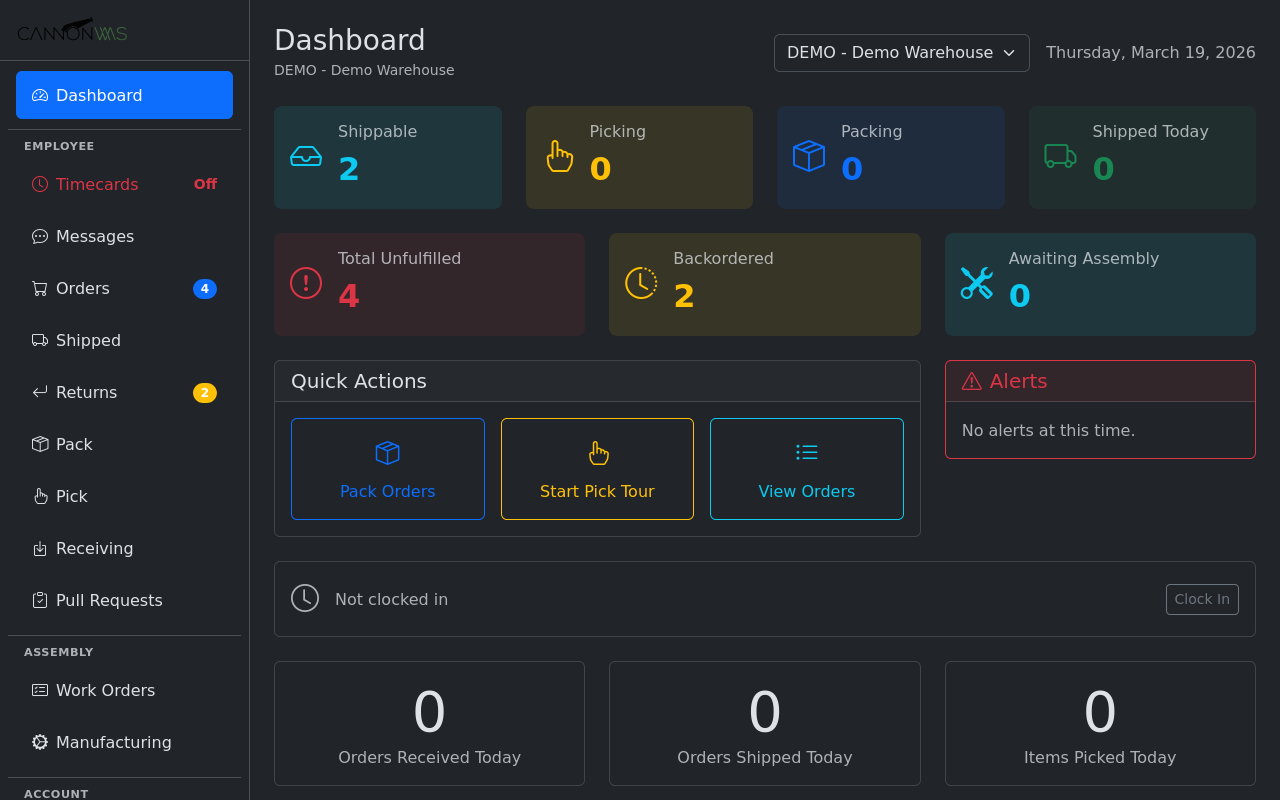
The main dashboard shows an "Awaiting Assembly" counter and the Assembly section in the sidebar with two links: Work Orders (order-triggered assembly) and Manufacturing (production builds from inventory).
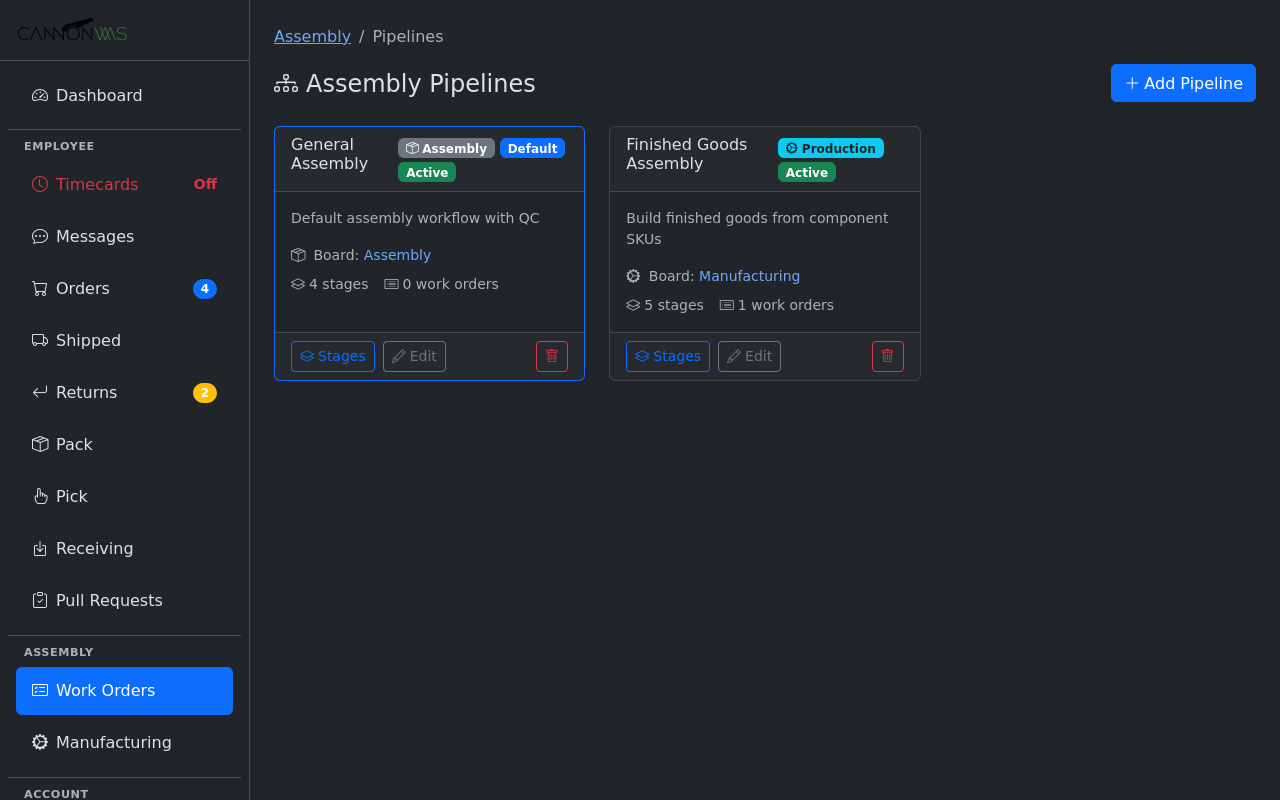
Pipelines define the workflow type. Assembly pipelines are for order-triggered builds. Production pipelines are for manufacturing finished goods from component inventory. Each pipeline has its own stages and kanban board.
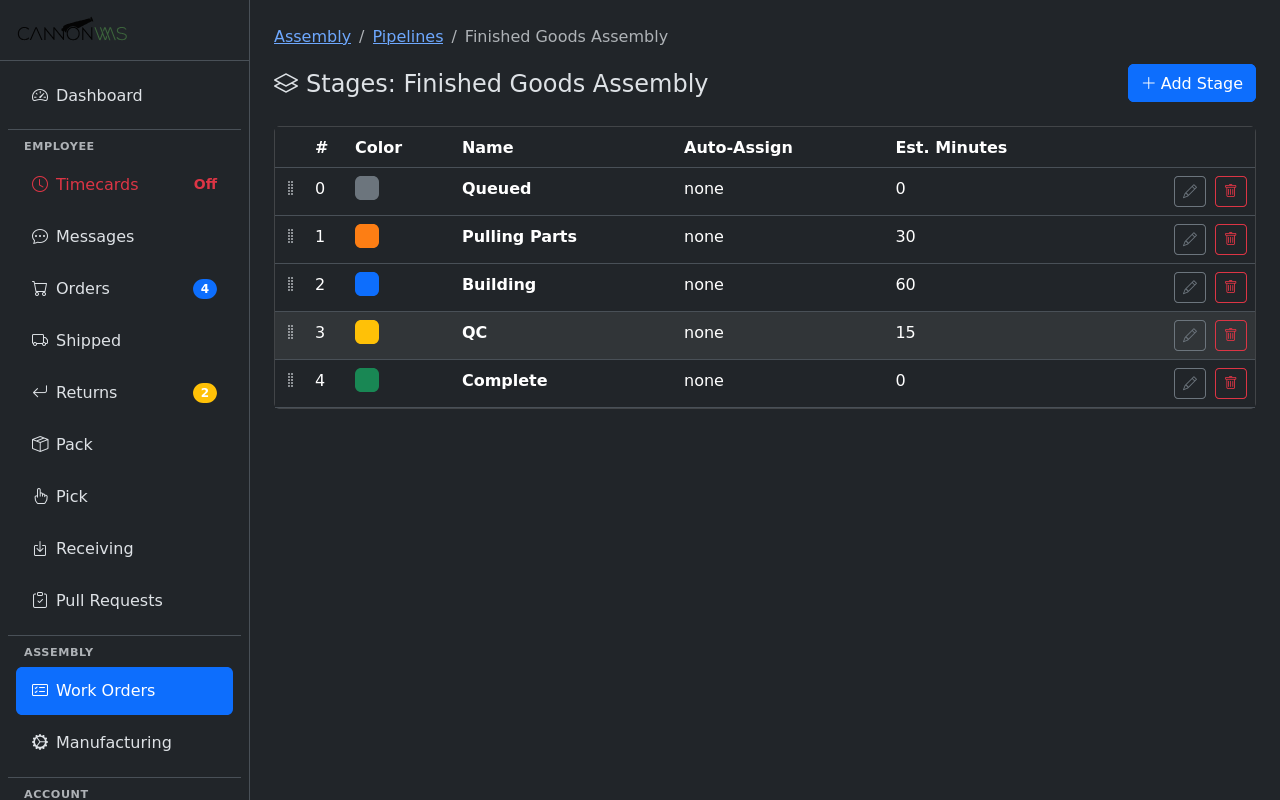
Each pipeline has customizable stages with color coding and estimated time. This production pipeline has 5 stages: Queued → Pulling Parts (30 min) → Building (60 min) → QC (15 min) → Complete. Stages can be reordered and auto-assignment rules can route work to team members.
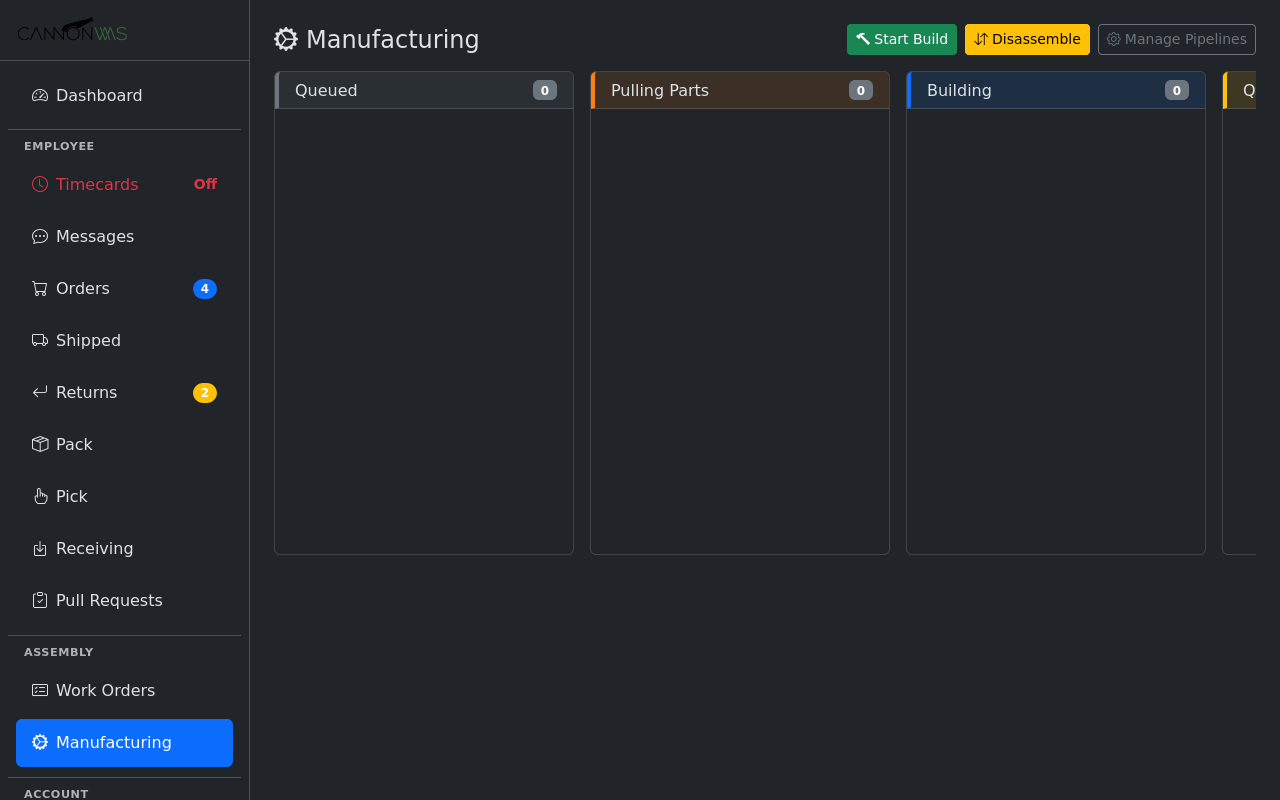
Work orders flow through pipeline stages as cards on a kanban board. Actions at the top: Start Build (assemble kits from components), Disassemble (break kits back into parts), and Manage Pipelines.
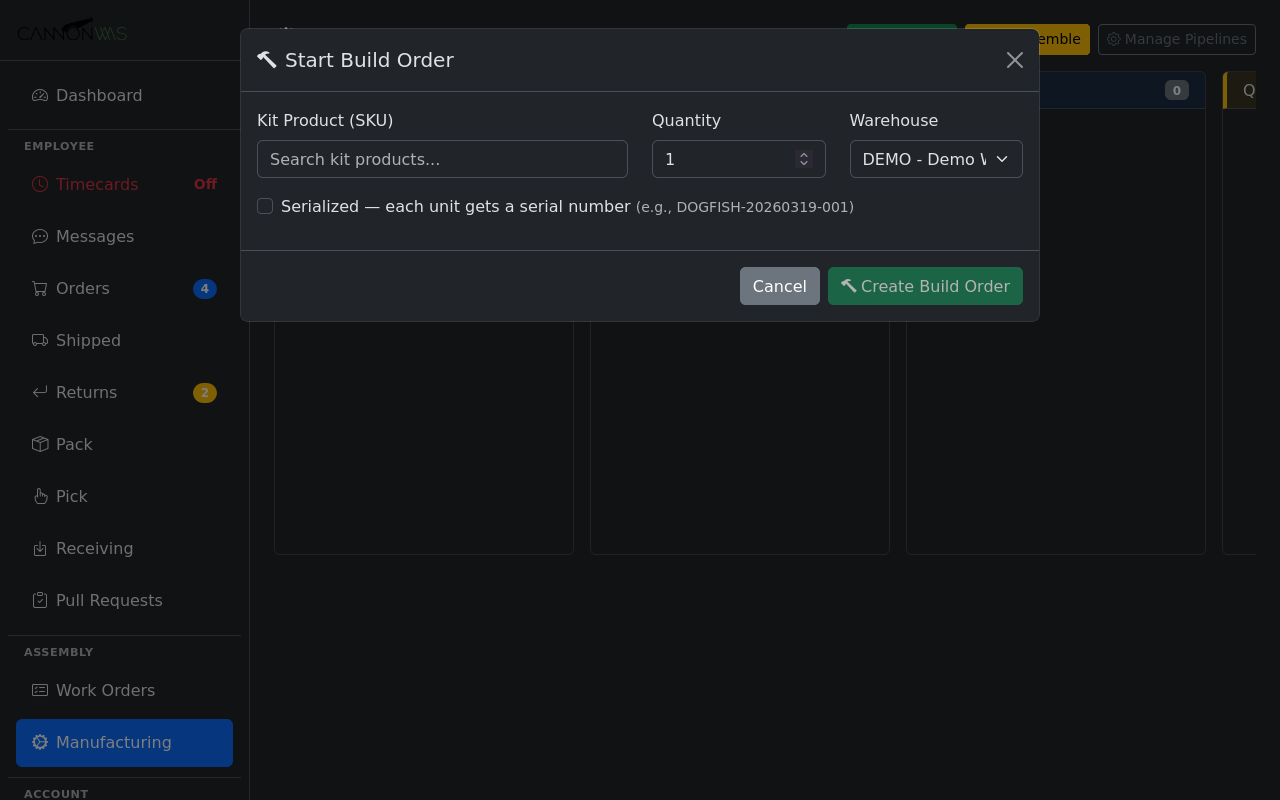
Search for a kit product by SKU, set the build quantity, and choose the warehouse. The optional Serialized checkbox assigns unique serial numbers to each unit produced.
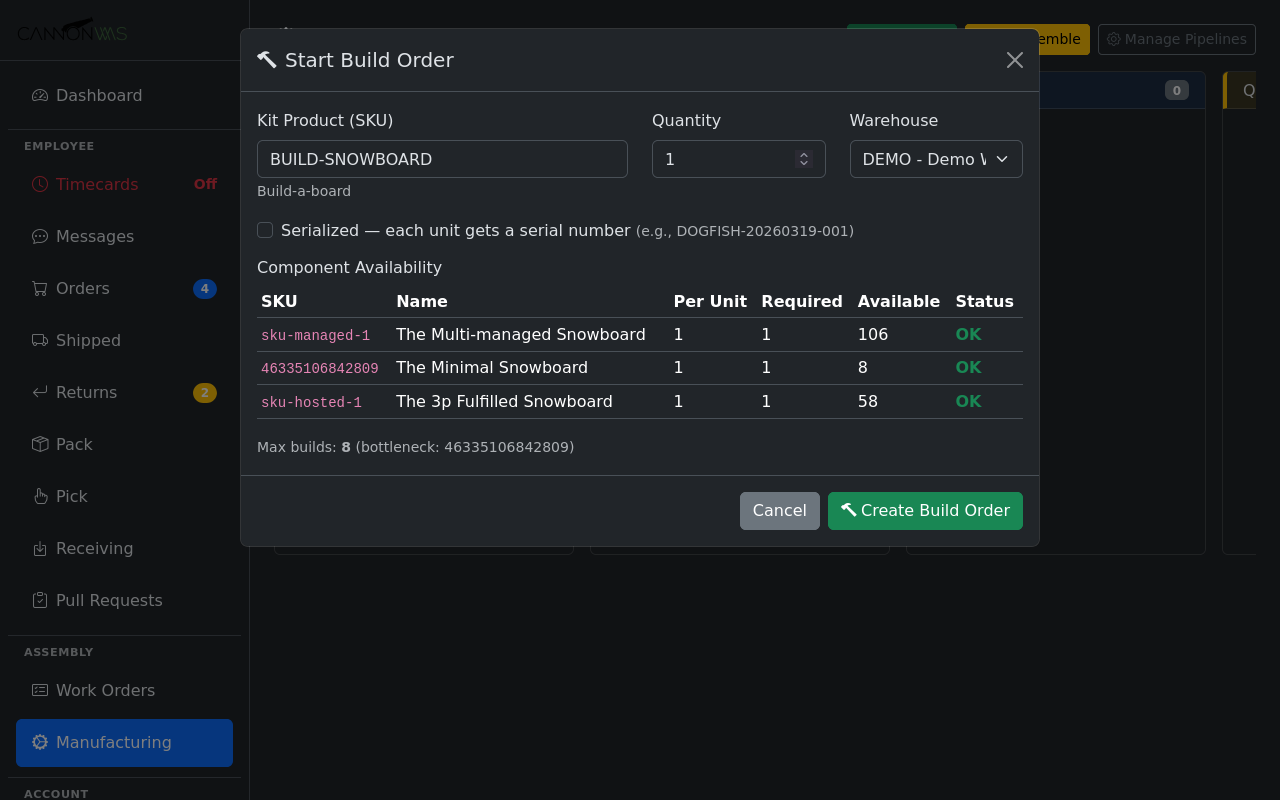
After selecting a kit, the system checks component availability in real time. Each component shows quantity per unit, total required, available stock, and status. The bottleneck component and max possible builds are calculated automatically.
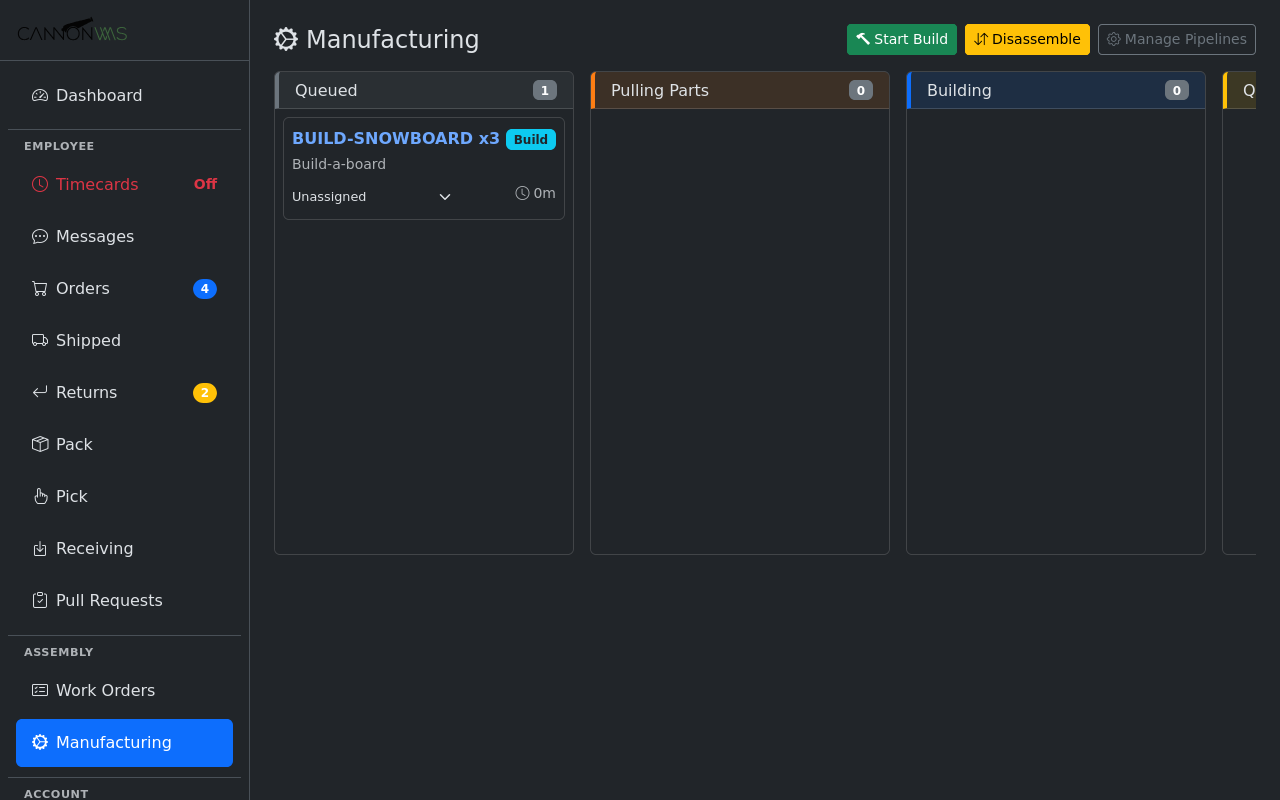
The new build order appears as a card in the Queued column showing SKU, quantity, product name, assignee dropdown, and time in stage. Cards can be assigned to team members directly from the board.
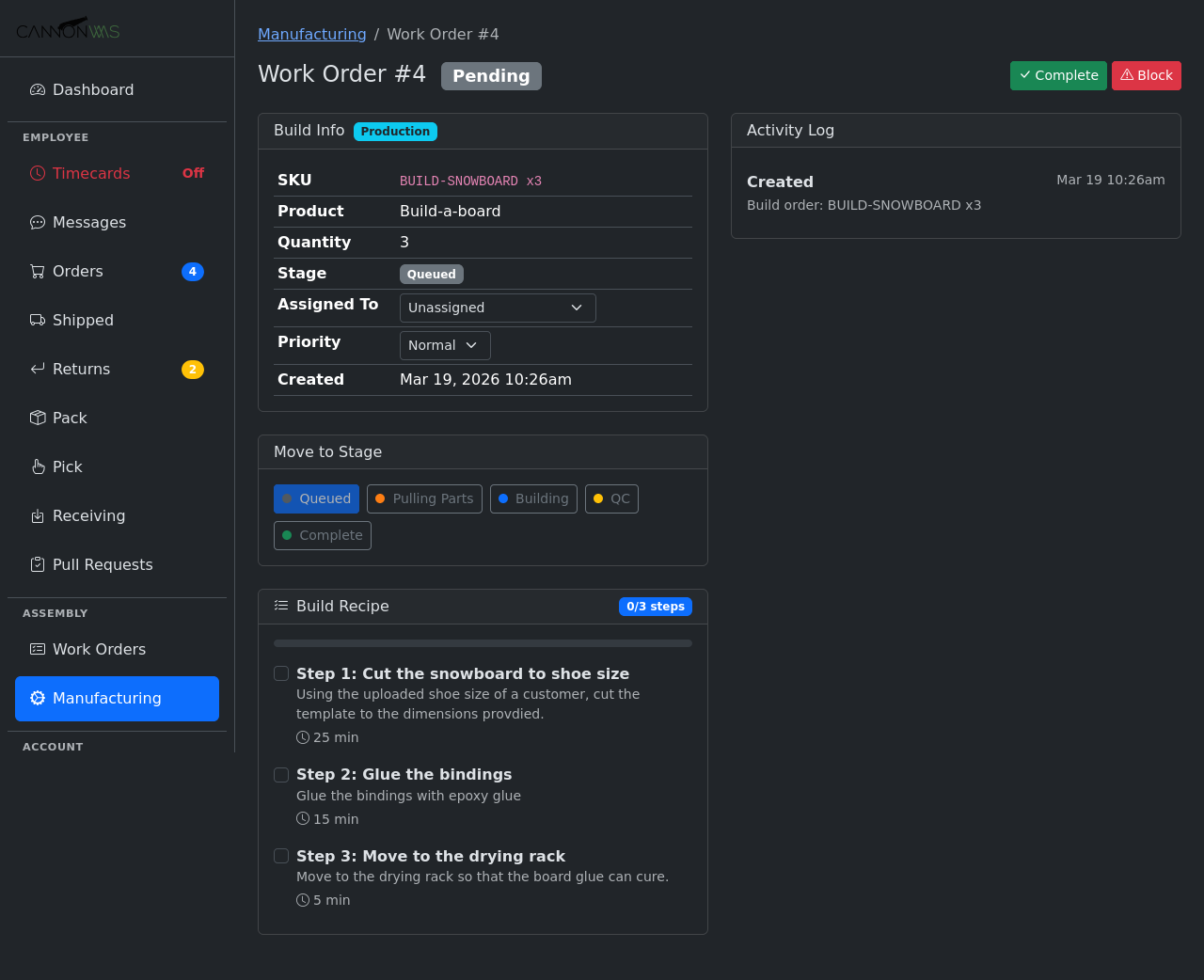
The detail view shows Build Info, Move to Stage buttons, a Build Recipe with step-by-step instructions and time estimates, and an Activity Log tracking every action. Workers follow the recipe and advance stages as they go.
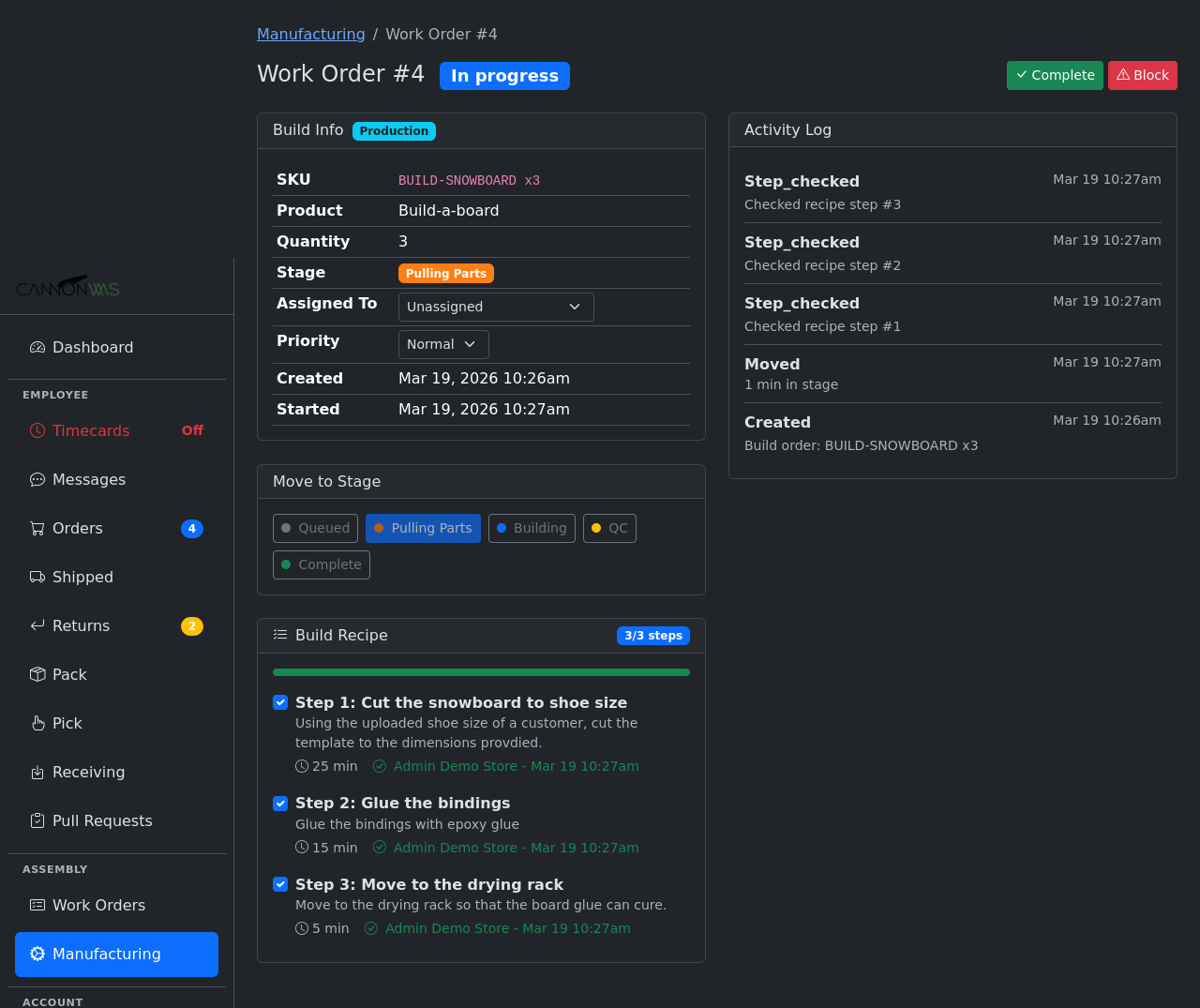
Workers check off recipe steps as they complete them. Each step records who completed it and when. The green progress bar fills as steps are completed. The Activity Log provides a full audit trail of every stage move and step completion.
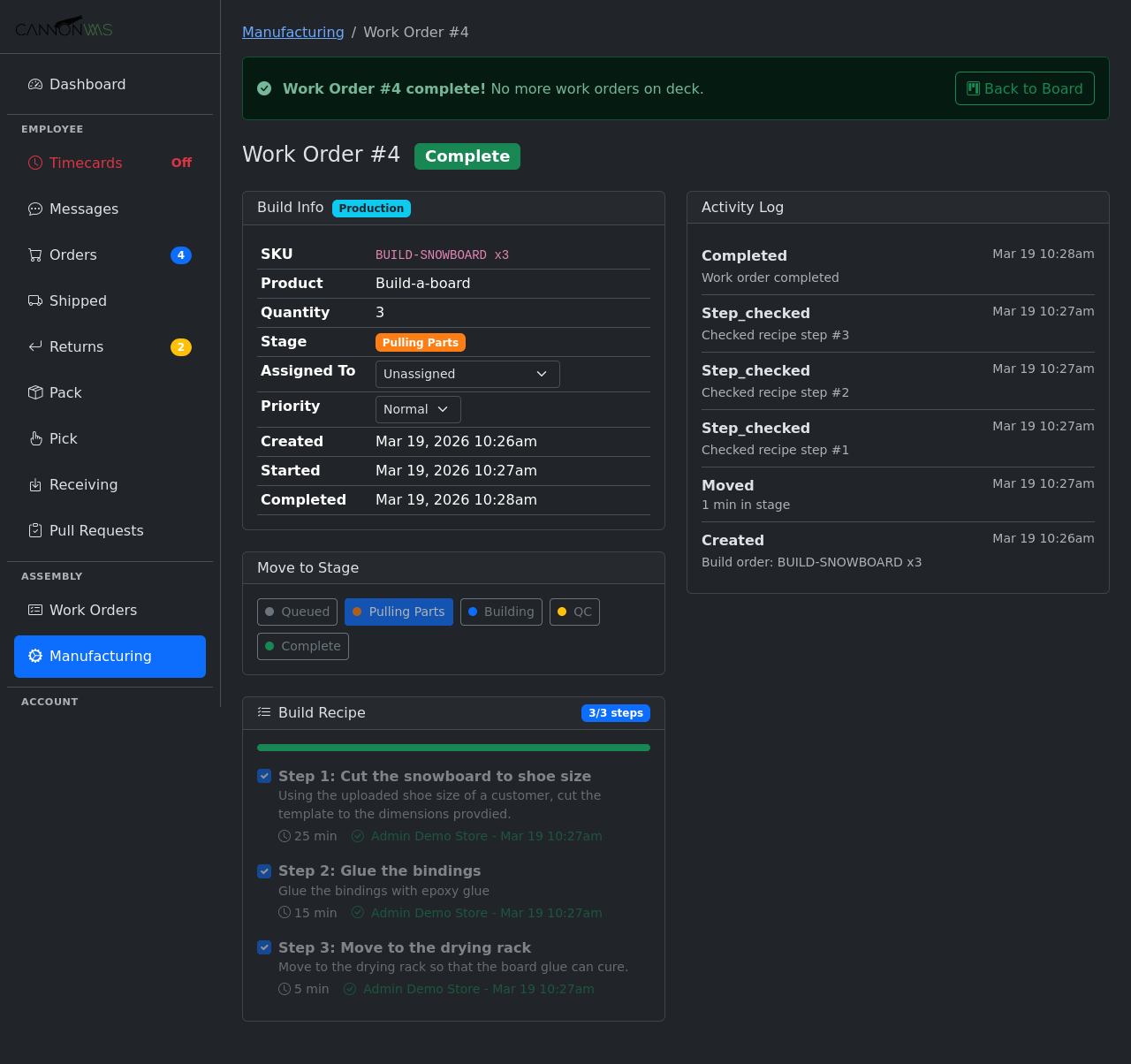
Completing the work order records a timestamp, adjusts inventory (component SKUs decremented, finished kit incremented), and shows a success banner. The full timeline from creation to completion is preserved in the activity log.
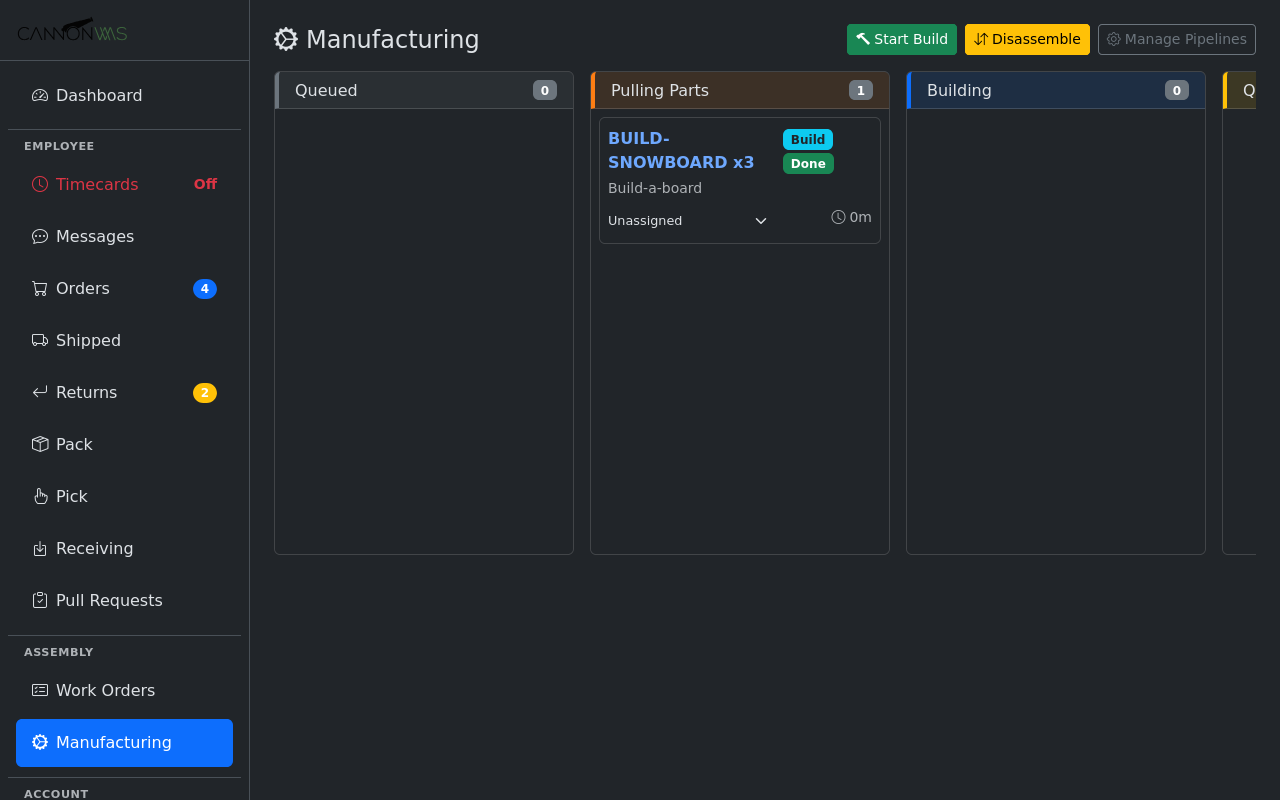
Completed builds show with a Done badge. The kanban gives managers a real-time view of all active builds across pipeline stages.
Key Capabilities
- Customizable pipelines & stages
- Real-time component availability
- Bottleneck identification
- Step-by-step build recipes
- Serialized builds (optional)
- Team member assignment
- Priority levels (Low / Normal / High)
- Full activity audit trail
- Auto-inventory on complete
- Build & disassembly support
Ready to streamline your production?
Enable Assembly & Work Orders in your CannonWMS dashboard today.
Learn More