Walkthrough
Quick Enable
Enable in your CannonWMS dashboard:
Settings → Features → Returns Portal
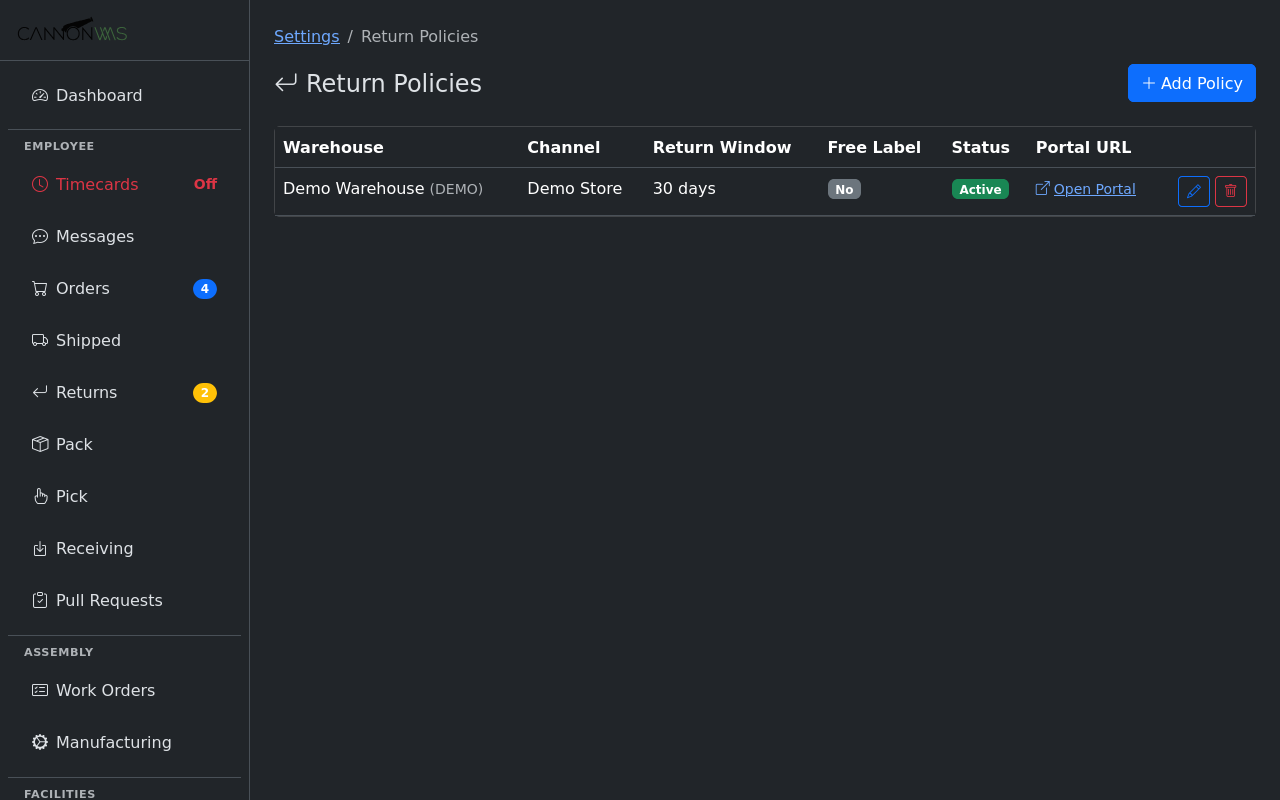
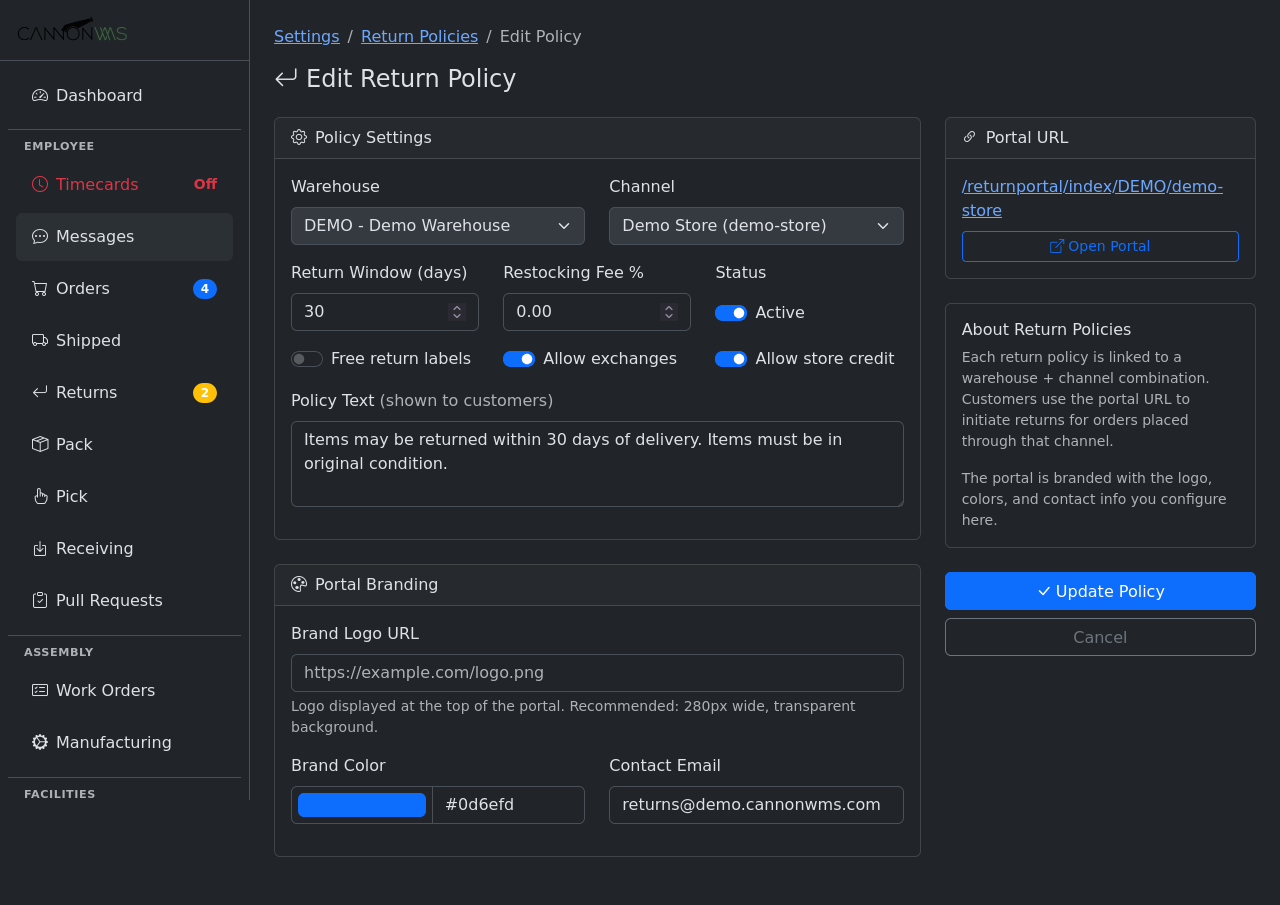
Set up return policies per warehouse and channel. Define the return window (e.g., 30 days from shipment), accepted return reasons, whether return shipping labels are auto-generated or customer-paid, and restocking fee percentages. Different channels can have different policies — your Shopify store might offer 30-day free returns while wholesale orders get 14 days with restocking fees.
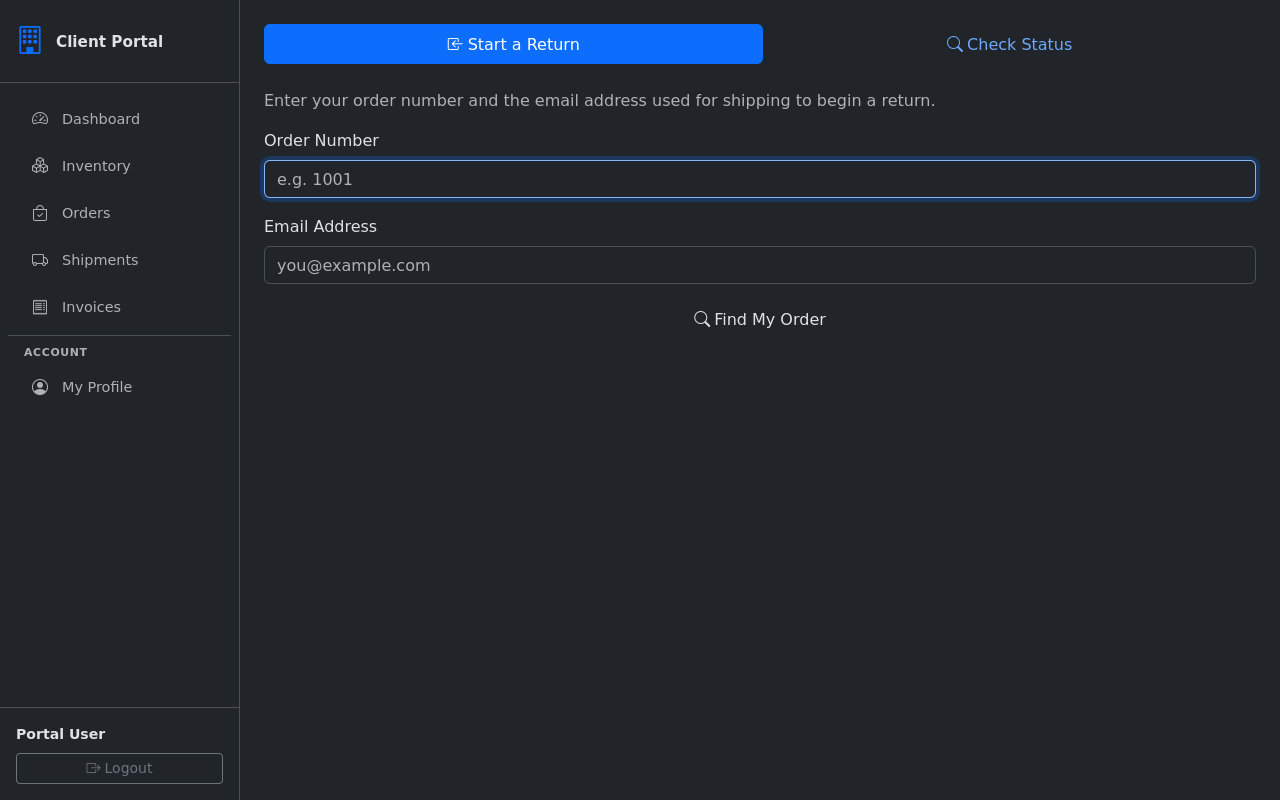
The customer-facing landing page displays your brand logo, colors, and custom welcome message. Customers enter their order number and email address (or zip code) to look up their order. The page is clean, mobile-friendly, and instills confidence with professional branding. Rate limiting and CSRF protection prevent abuse.
After verification, the portal shows the customer their order details: items purchased, quantities, shipment date, and which items are eligible for return based on the return window. Items already returned or outside the return window are clearly marked as ineligible. The customer sees only what they need — no sensitive business data is exposed.
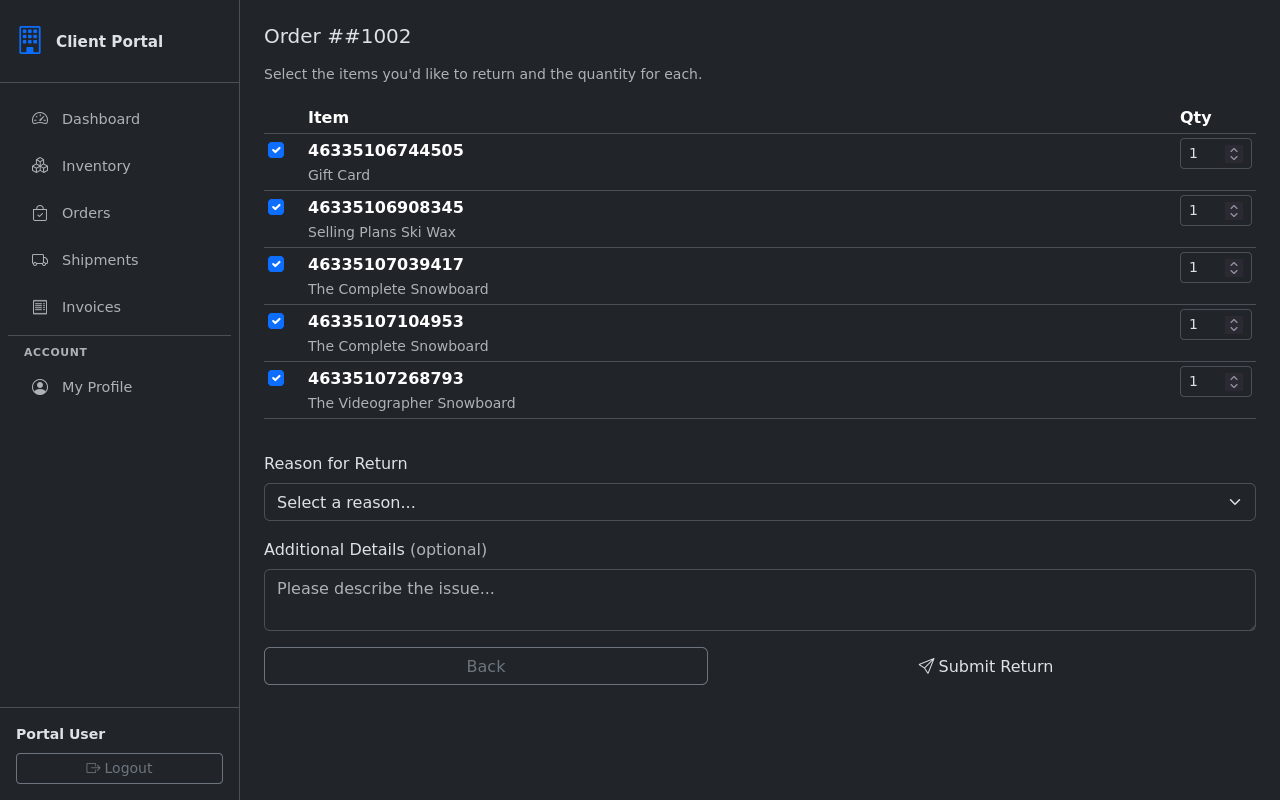
The customer selects which items to return, specifies the quantity for each, and chooses a return reason from your configured list (defective, wrong item, changed mind, etc.). An optional notes field lets them describe the issue. For defective items, they can upload photos to help your team assess the return before it arrives.
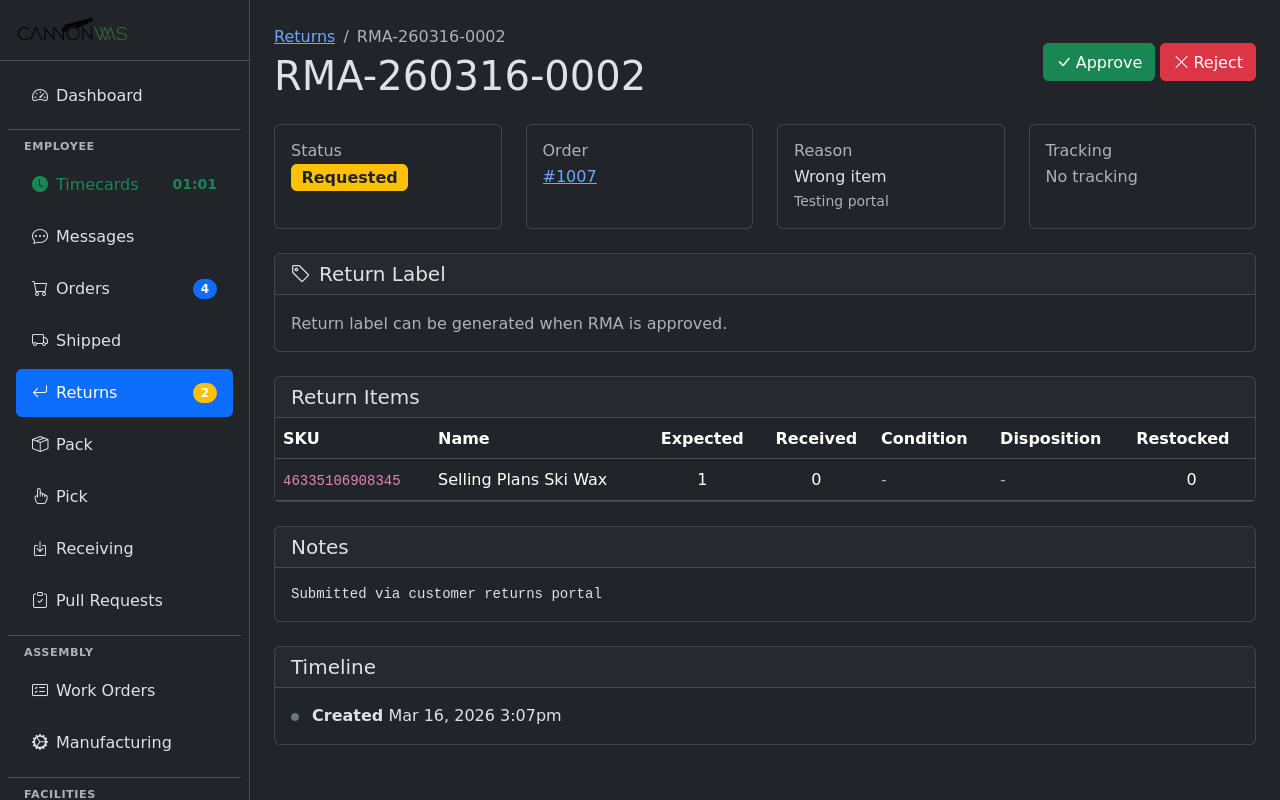
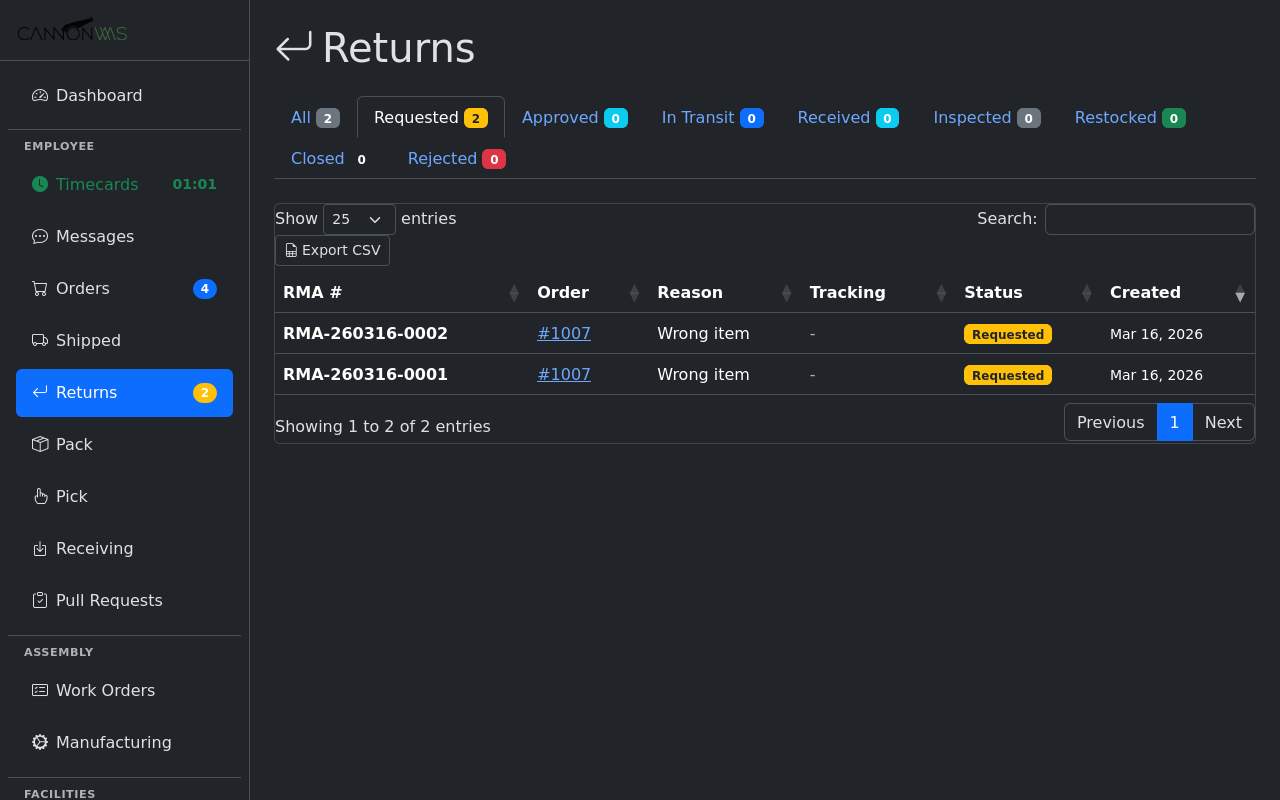
Upon submission, an RMA number is generated and displayed to the customer along with return instructions. If auto-label generation is enabled, a prepaid return shipping label is generated instantly and available for download. The customer also receives a confirmation email with the RMA number, label, and packing instructions. The return appears in your WMS as a pending RMA.
Customers can return to the portal at any time and enter their RMA number to check the status of their return: Label Created, In Transit, Received at Warehouse, Inspected, Refund Issued. This self-service status check eliminates "where is my refund?" support tickets and gives customers confidence that their return is being processed.
Key Capabilities
- Per-warehouse+channel branding
- Configurable return windows
- Auto-label generation
- Rate limiting and CSRF protection
- Status tracking for customers
- Shopify App ready architecture
Ready to automate your returns?
Enable the Customer Returns Portal in your CannonWMS dashboard today.
Learn More