Walkthrough
Quick Enable
Enable in your CannonWMS dashboard:
Settings → Features → Timecards
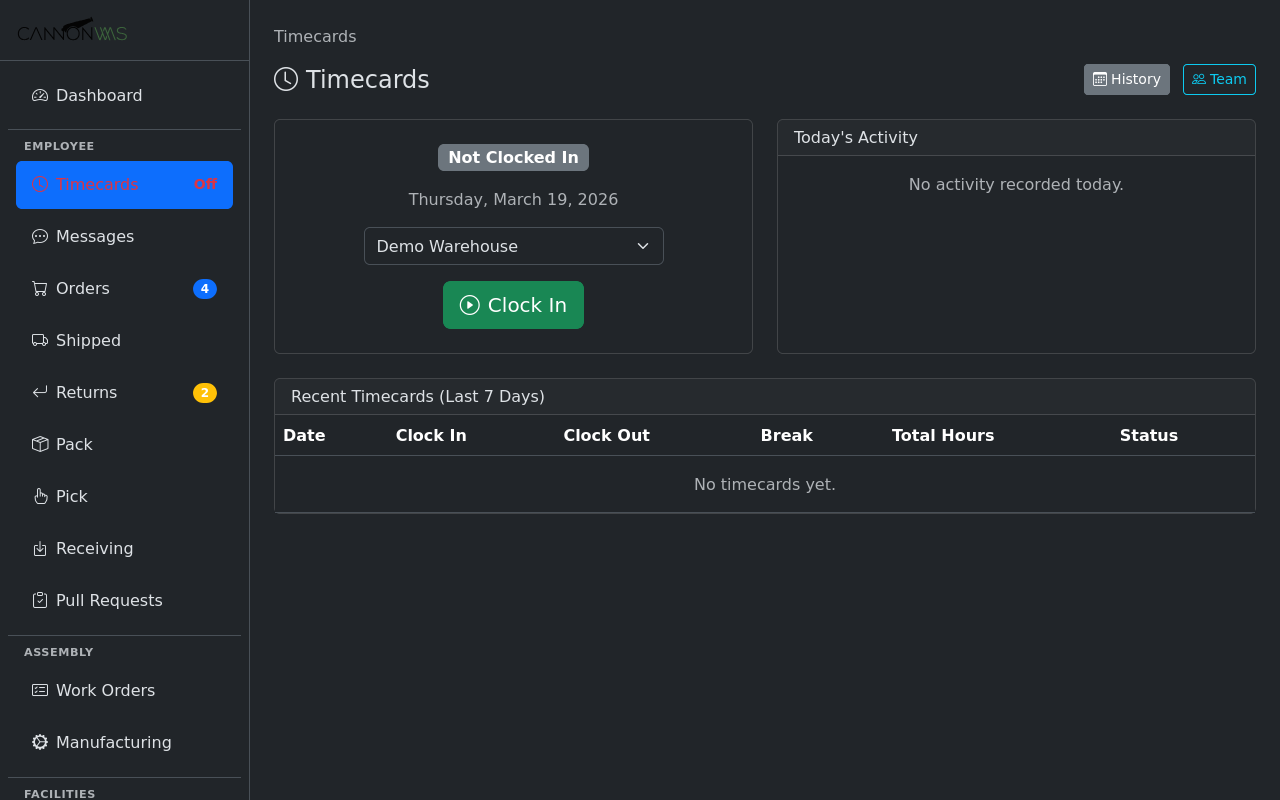
Team members click the Clock In button in the sidebar to start their shift. The system records the exact timestamp and optionally captures the IP address and browser fingerprint for verification. If your warehouse uses shared terminals, members can clock in with their credentials from any device.
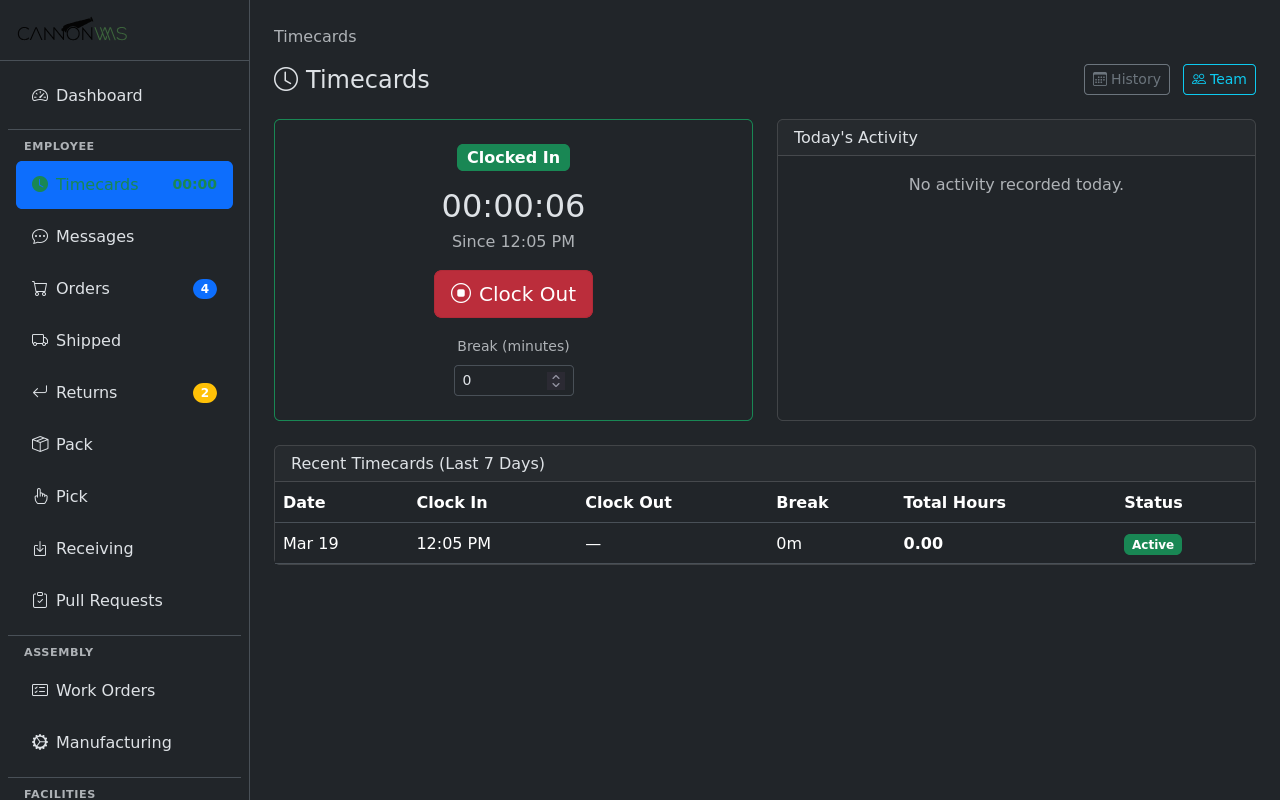
While clocked in, a live elapsed timer appears in the sidebar showing hours and minutes on the clock. The timer persists across page navigation so workers always know how long they have been on shift. The visual indicator also reminds team members to clock out at the end of their day, reducing forgotten punches.
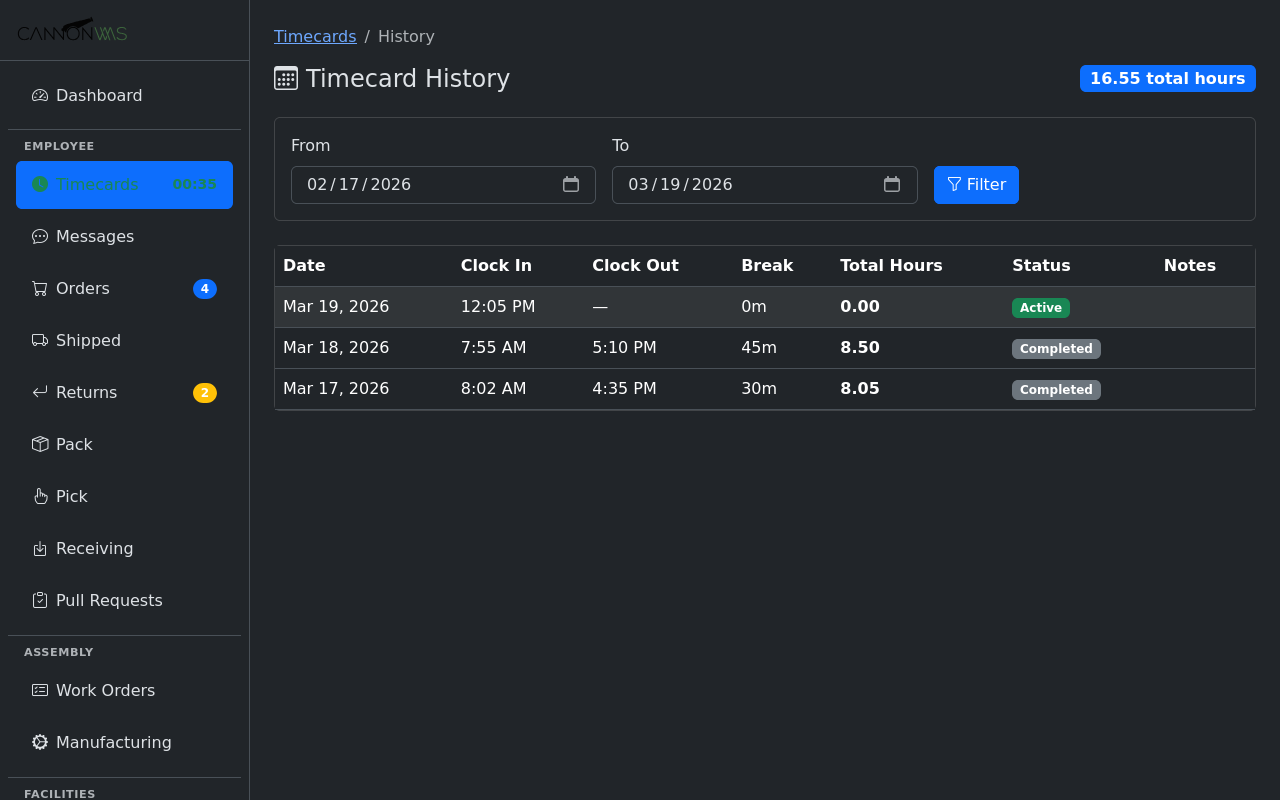
Clicking Clock Out records the end time and calculates total hours worked. The system automatically detects unusually long shifts (e.g., forgot to clock out) and flags them for admin review. Break time can be automatically deducted based on configurable rules, or members can manually log breaks during their shift.
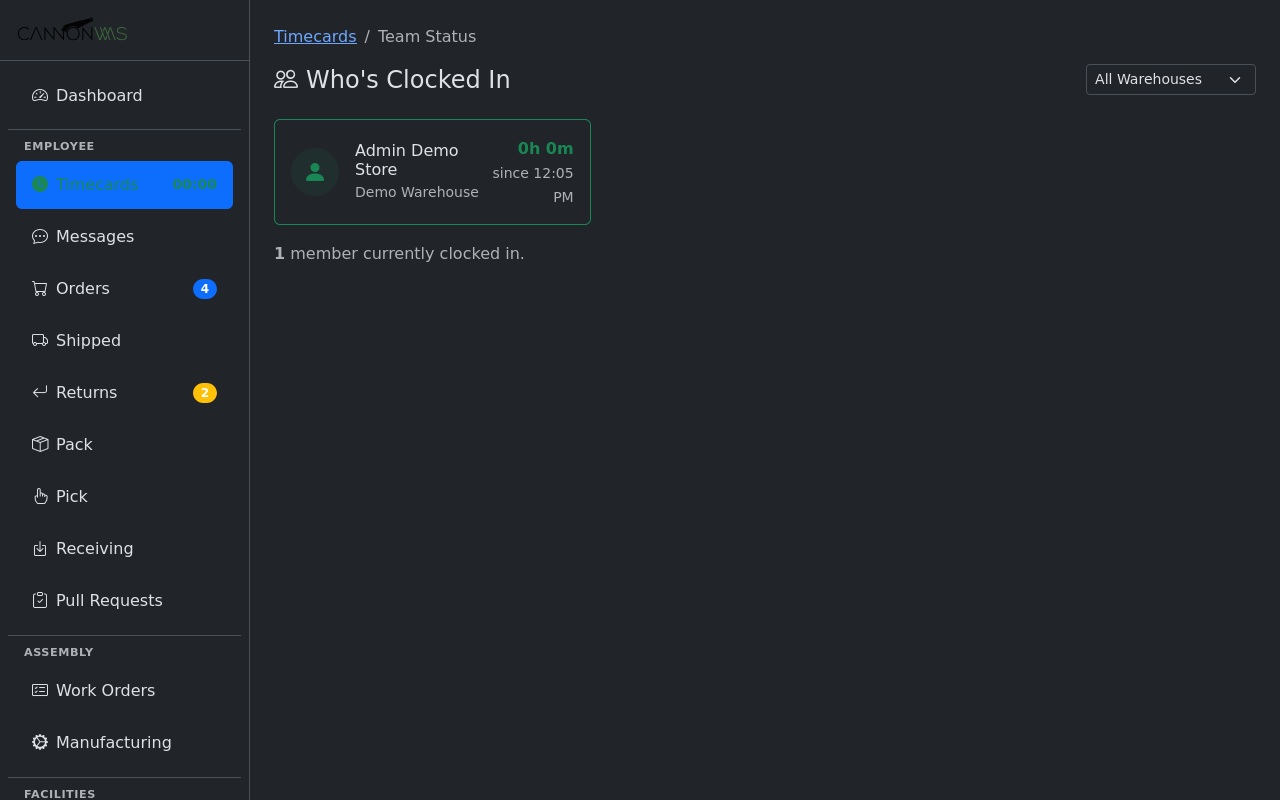
Admins access the timecard report to view all team member hours by day, week, or month. Edit entries to correct mistakes, add missing punches, or annotate with notes. Filter by member, date range, or warehouse. The report calculates regular hours, overtime, and total pay period hours. Export to CSV for payroll processing or connect directly to your payroll provider.
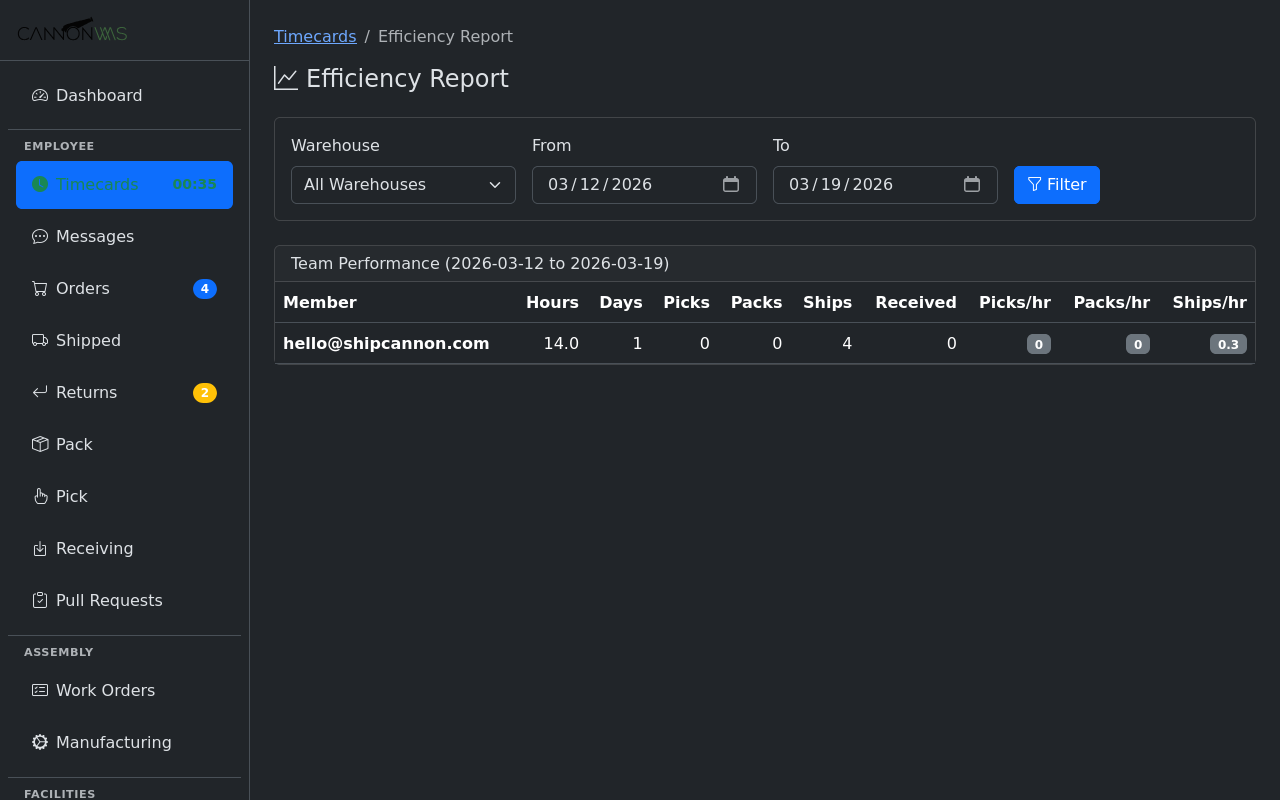
The efficiency dashboard correlates time worked with warehouse activity: orders picked, items packed, shipments processed. See orders per labor hour, units picked per hour, and cost per order metrics broken down by team member, shift, and time period. Identify your top performers, spot training opportunities, and make data-driven staffing decisions.
Key Capabilities
- One-click clock in/out
- Real-time elapsed timer in sidebar
- Daily/weekly/monthly reports
- Admin timecard editing
- Export for payroll
- Activity-based efficiency metrics
Ready to track time and efficiency?
Enable Timecards & Efficiency in your CannonWMS dashboard today.
Learn More